
Presenting the uRADMonitor API Helper program
If you want to connect a custom sensor to the uRADMonitor network, you need to register a new device and obtain a Device ID before you can start uploading data. To help others, I’ve created a little program that allows you to easily register your own custom sensor to the uRADMonitor platform. This tool simplifies that process into a GUI: enter your User ID and API Key, click Create, and get a Device ID ready to use in your firmware. It runs on Windows as a Python app (and all other Python supported OS’es), and the full source is on GitHub.
When I first started back in 2021 I started I had help from a friend that showed me how to use Fiddler to get the API call set up and retrieve the X-* headers. This is still an option but tedious if you don’t know how to use Fiddler or curl. So I created a little Windows
PowerShell &Python script with a GUI that allows you some options to view, create, consult your account and device(s).
How it works?
It uses the https://www.uradmonitor.com/open-data-upload-tutorial/ DIDAP and EXP protocol to register a custom device for you and returns the Device ID. The Device ID registers to your personal dashboard in uRADMonitor and from your code you can then upload to it using your User ID, API Key and the newly generated Device ID.
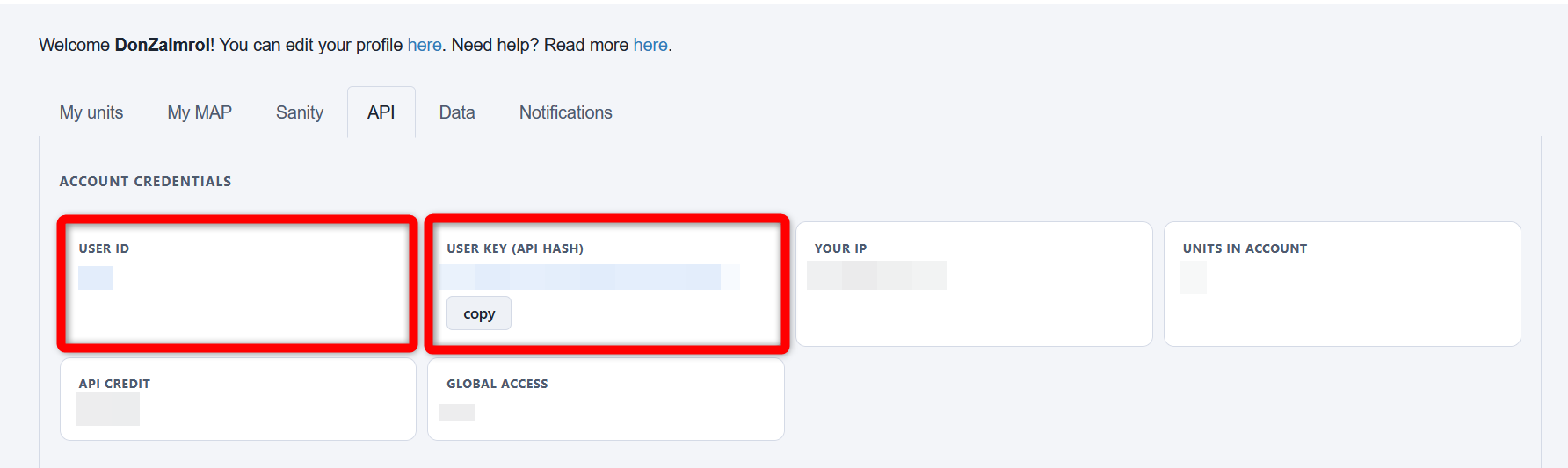
It uses your User ID and User Key (API key) that you get from your Dashboard -> API
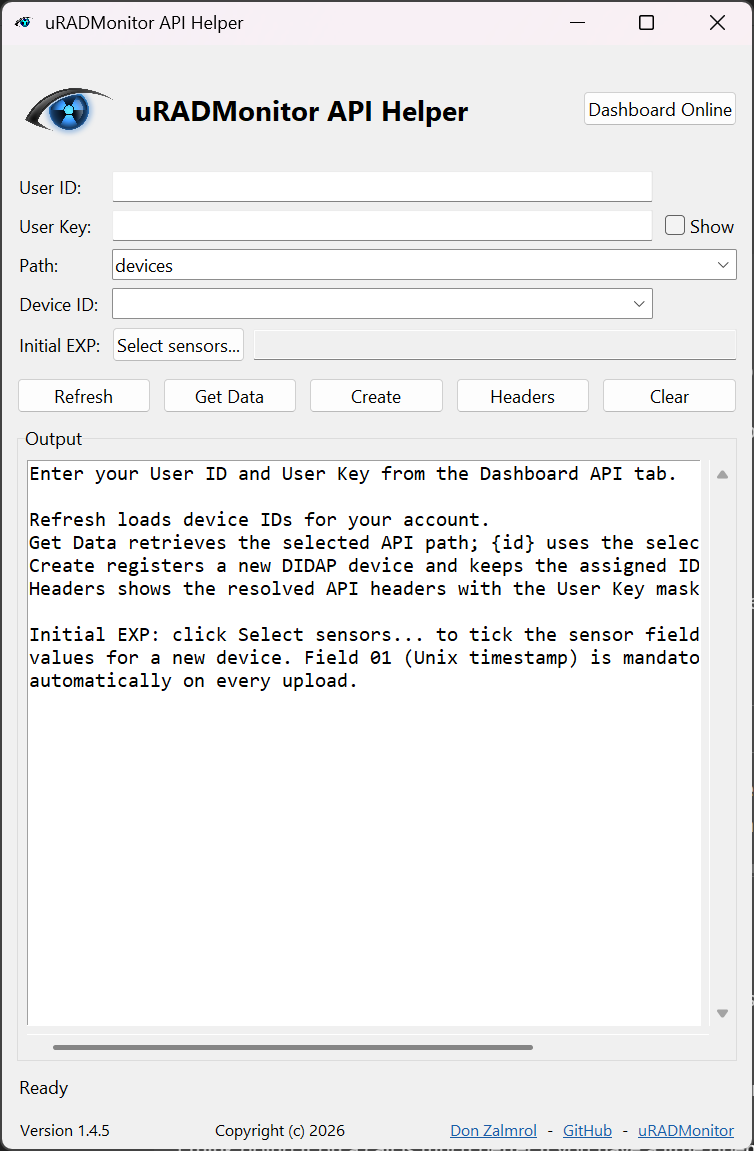
The app itself
- Dashboard Online = Shortcut to your dashboard
- User ID = Your User ID from the uRADMonitor dashboard
- User Key = Your User Key (API Hash) from the uRADMonitor dashboard
- Path = Option to select your graphing output when you click on “Get Data”
Path options

- Devices = gives you the output of all your devices
- Devics/{id} = gives you the output of 1 specific device
- Devics/{id}/all* = Gives you the option to select your logging range return in seconds.
Initial EXP
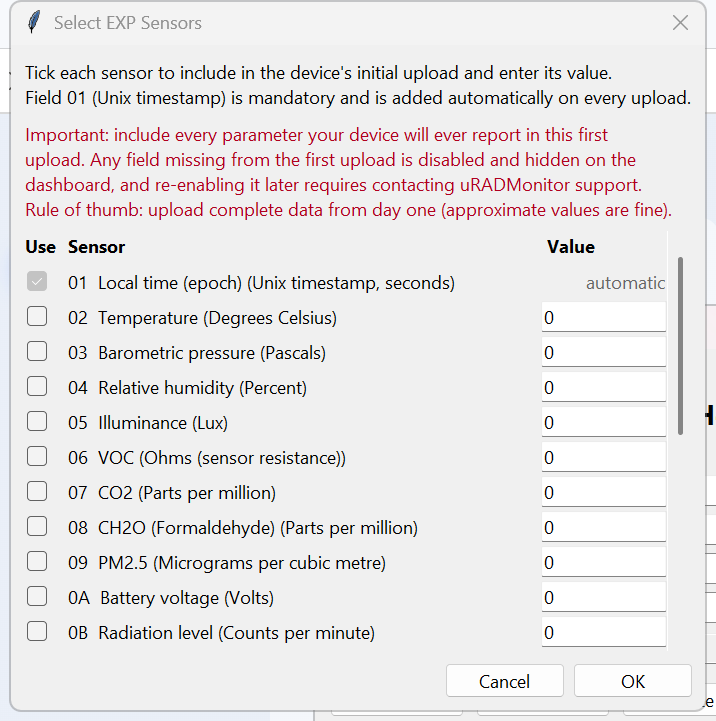
Uploads dummy data for your device, here you can select the sensors you wish to register your device with.
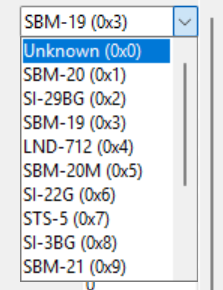
Tube selection
You can select a range of tubes and if unknown type, select 0x0. By default SBM-20 is selected as this is one of the most popular DIY tubes out there.
Custom tube
Or enter a custom value;

Very important!!!
Note on Device ID limits
Device ID registration via DIDAP is rate-limited to 25 IDs per IP address to prevent abuse. Use this tool responsibly: do not create test devices in bulk. Device IDs that receive no data for 30 days are automatically recycled and removed from your dashboard.
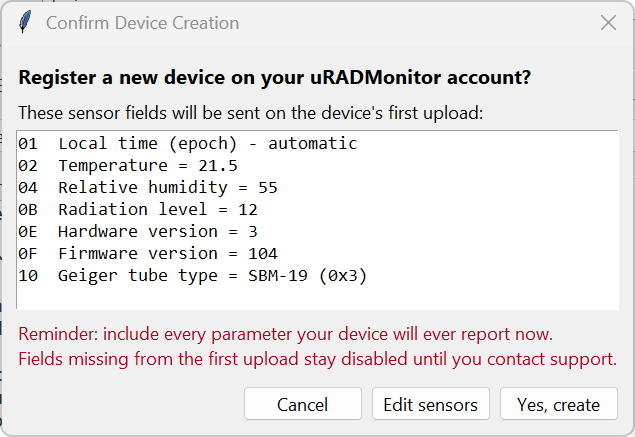
Note on first upload: send all your VALID parameters
The EXP protocol supports a large list of parameters. Only timelocal is mandatory on every upload. However, the server marks any parameter as disabled and hidden if it is absent from the very first upload. Re-enabling a disabled parameter requires contacting uRADMonitor support manually. The data however is always saved in the database, even if the parameter is initially disabled, so no worries, nothing is lost.
But to avoid manual intervention, make sure your first upload contains valid data for every parameter your device will ever report, even if the values are approximate.
Example: you built a Geiger counter and want to upload via EXP. If your first upload contains only timelocal, the radiation field will be disabled and invisible on your dashboard. To get it back, you will need to contact support. If instead your first upload contains both timelocal and a valid CPM reading, everything is enabled automatically and no manual intervention is needed.
Rule of thumb: upload complete data from day one.
GUI outputs and options
- Refresh = Will refresh the list of your device(s) that you have bound to your account.
- Device ID = Allows you to select one of your devices, it will load in the 1st device you have registered
- Get Data = Will fetch the current data from your selected device
- Create = Creates a new device
- Headers = Will show you the inputted User ID and shortened User Key
- Clear = Resets the GUI output
Creating a new device
After you’ve selected your sensors and hit create you get a final popup to double check everything as after clicking “Yes, create” the process can’t be stopped, reverted or updated!
Things to keep in mind!
- Keep your User ID and User Key private!
- Do not create many DIDAP IDs in quick succession!
- Do not repeatedly upload dummy data! See note in red above.
- Keep the assigned device ID in non-volatile storage on the device.
- Created devices that are unused are removed after a few days to prevent stale devices in the uRADMonitor network.
Repository
https://github.com/DonZalmrol/uRADMonitor-API-Helper
More resources:
Ready to move one step further? Here are some practical examples on how the custom ID is integrated and data is being uploaded ot uRADMonitor, using a DIY open source constructions:
Happy logging!
Liked this? Get monthly air quality findings.
One email a month from the uRADMonitor network. Unsubscribe anytime.

codemore code
~~~~