
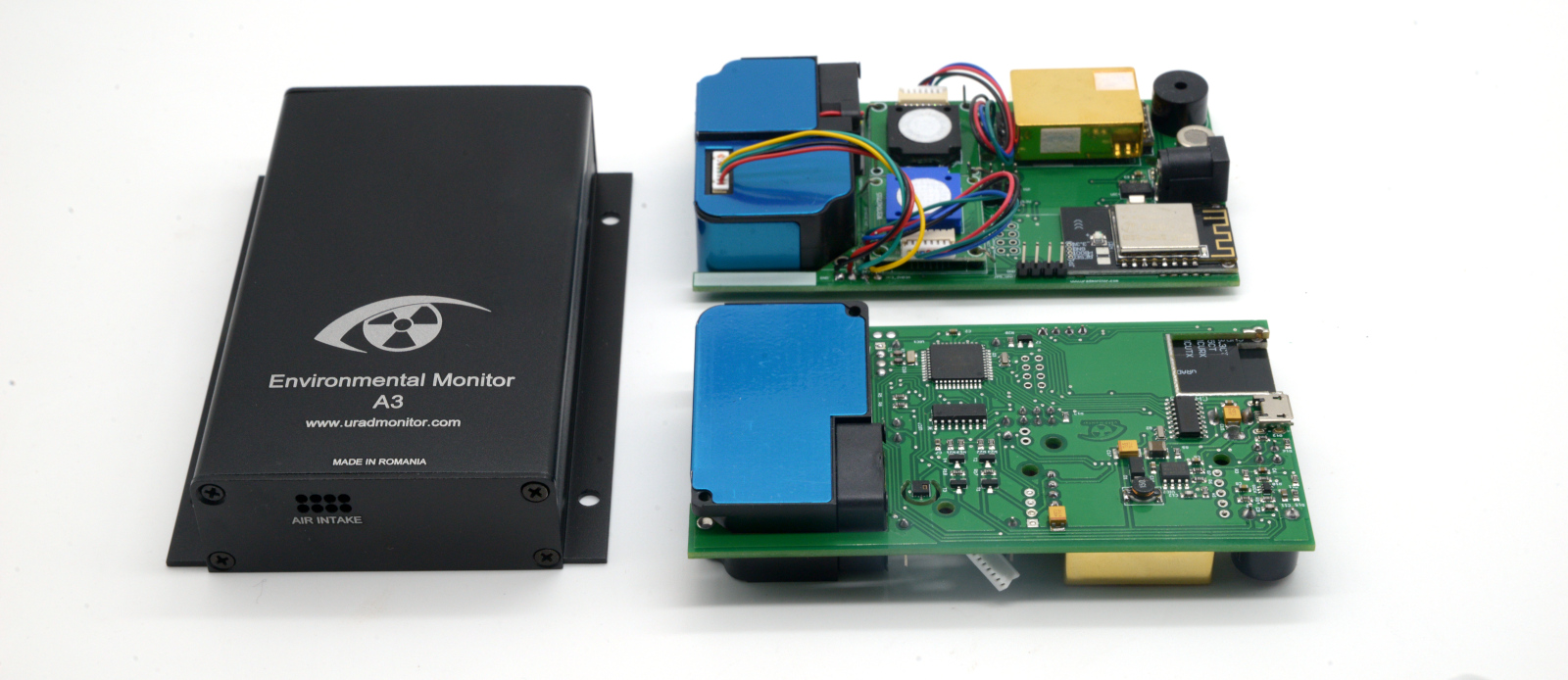
Every uRADMonitor MODEL A3 that measures gases carries electrochemical cells. These are consumable sensors: they hold a small amount of electrolyte and react chemically with the target gas to produce a current. That chemistry is what makes them accurate, and it is also why they do not last forever. In normal operation an electrochemical cell has a service life of about two years, after which it must be replaced to keep the readings trustworthy.
Which cells your MODEL A3 has
Starting with HW Version 6, the MODEL A3 ships with two electrochemical cells:
- Formaldehyde (CH₂O)
- Ozone (O₃)
The rest of the MODEL A3 sensors (particulate matter, CO₂, temperature, pressure, humidity, VOCs, Noise) are not electrochemical and are not affected by this two year limit.
Why electrochemical cells age
Three things happen slowly over the life of a cell. The electrolyte is gradually consumed and can dry out, which lowers sensitivity. The baseline (the reading in clean air) drifts, so zero is no longer zero. And the response slows down, so short pollution peaks are under-reported. None of this is a fault: it is the normal, expected wear of a chemical sensor, the same way a battery loses capacity. The fix is simply to replace the cell.
How to tell your cells are due
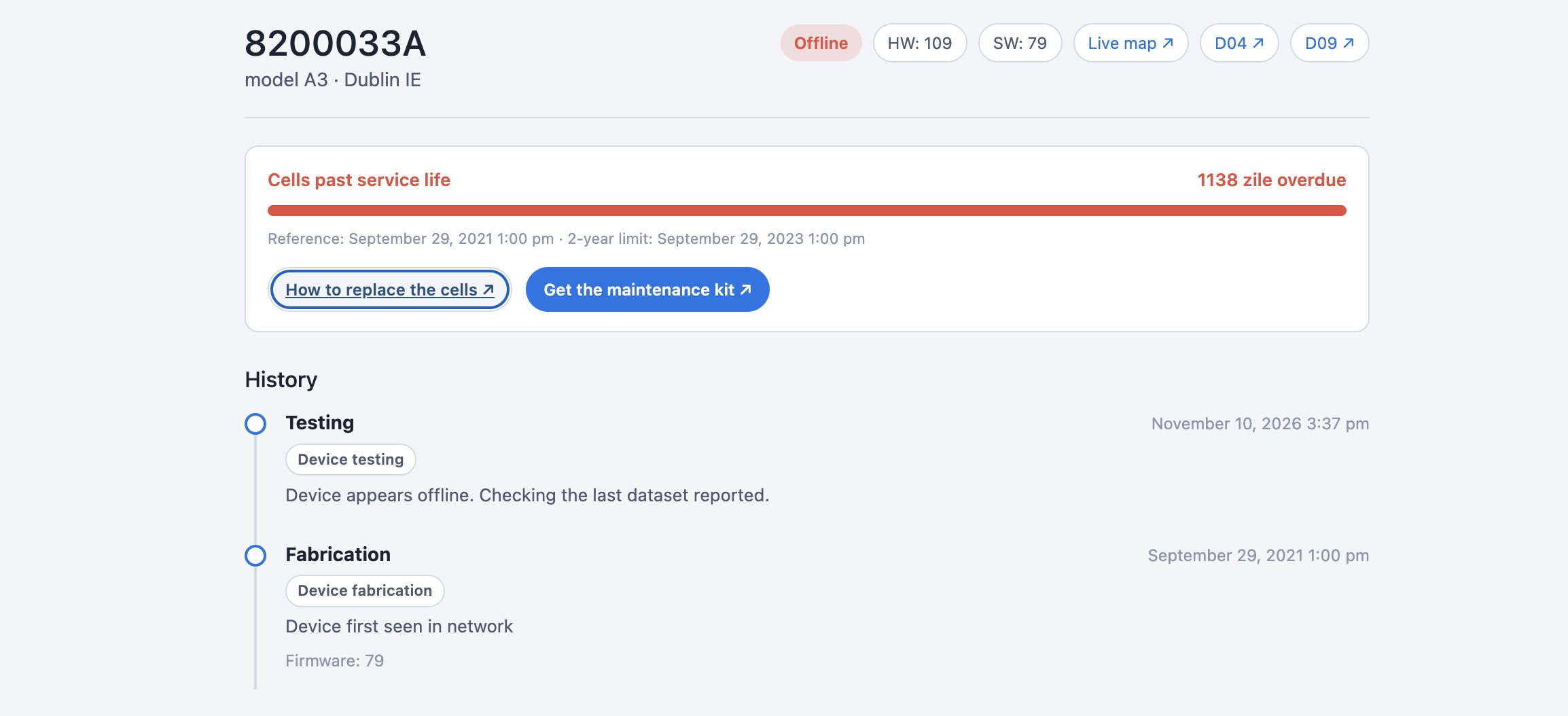
The clearest signal is on your own device page. Each uRADMonitor unit has a cell service counter that starts at the first data the device ever reported (or at the last recorded service) and counts down to the two year limit. When the bar turns red, the cells are past their service life. You may also notice the gas channels reading a flat value, sitting at an unusual baseline, or no longer responding to events they used to catch.
Replacing the cells
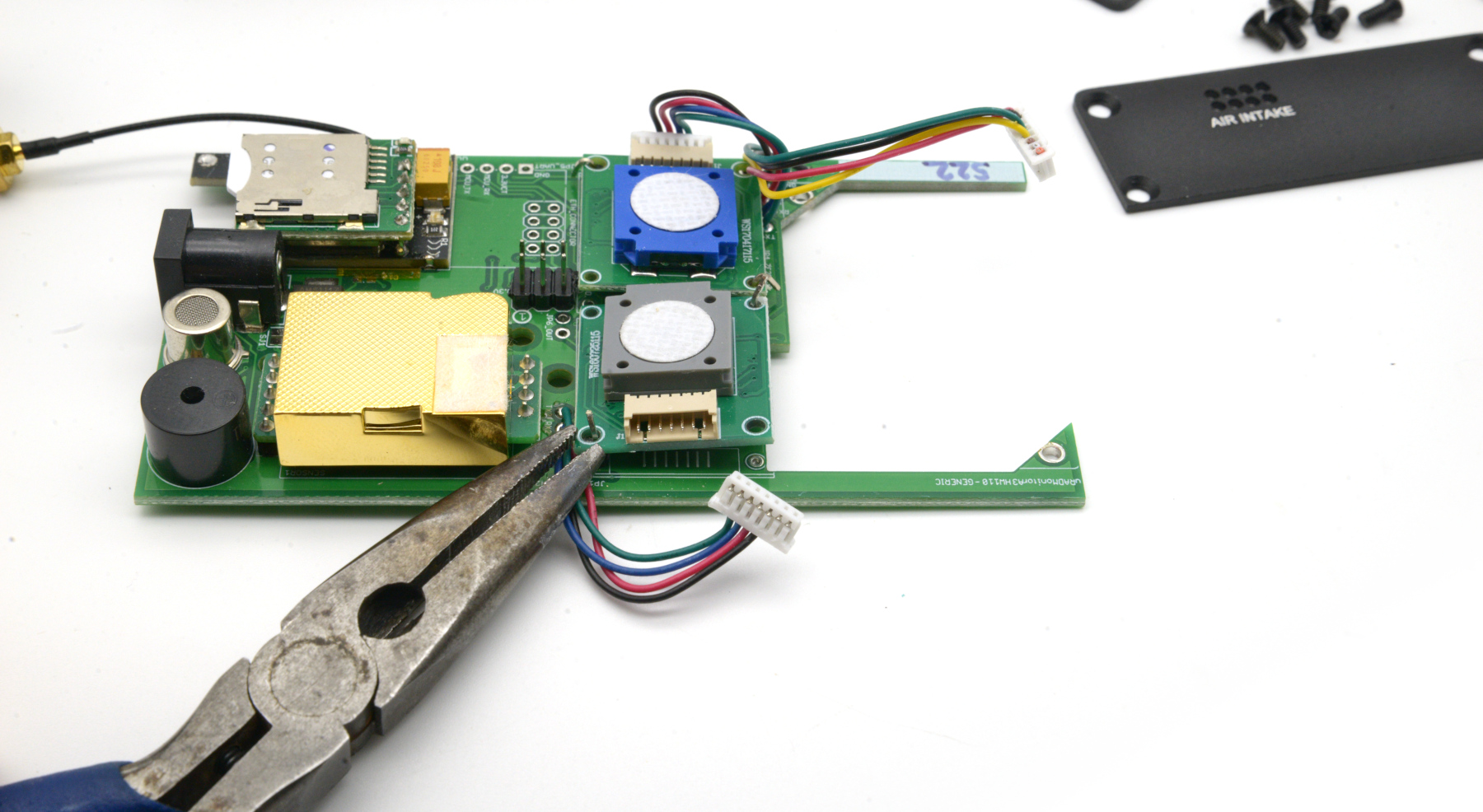
On MODEL A3 hardware version 10 and above, the cells are owner-replaceable with a maintenance kit. The kit contains fresh cells that plug into their sockets: no soldering and no shipping of the unit are required. You can check your hardware version at the top of your device page (the HW badge).
- Power the unit down and open the enclosure.
- Locate the two electrochemical cells on the sensor board.
- Unplug the old cells and press the new ones into the same sockets, matching orientation.
- Close the unit, power it back on, and let it stabilise for a few hours.
More detailed instructions are here.
Older versions
Hardware below 6 is different, there is a geiger counter instead of the ozone sensor, and the formaldehyde cell is accessed via an analogue signal so it requires our intervention via an RMA. On hardware versions below 10, the sizes are different. In that case, request an RMA and we will refresh the cells for you.
After replacement
Once the service is recorded, the two year counter resets and starts again from the replacement date. From that point you have a fresh two year window before the next refresh. Keeping the cells current is what keeps your MODEL A3 a reference-grade instrument rather than a drifting one.
Questions about your specific unit? Open its device page to see the exact counter and status, get the maintenance kit, or start an RMA.
Liked this? Get monthly air quality findings.
One email a month from the uRADMonitor network. Unsubscribe anytime.

codemore code
~~~~