
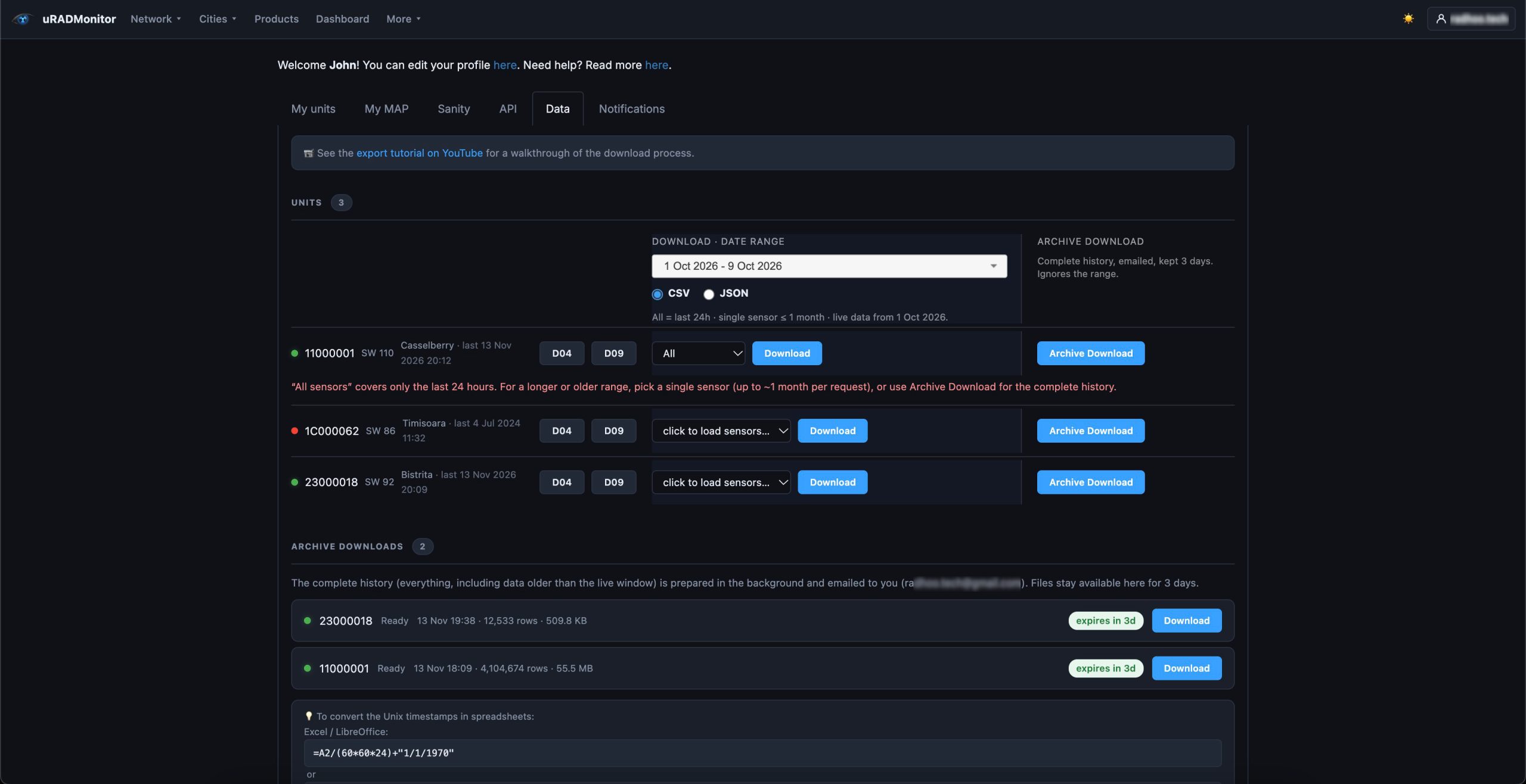
Every uRADMonitor device continuously collects environmental measurements, typically once per minute, although the reporting interval depends on the device configuration. Across a network of more than 4,500 devices, this adds up to a substantial volume of data accumulated over many years.
Until now, retrieving the complete measurement history of a device required contacting us and having a manual export prepared. We are changing that with Archive Download, a new feature that lets you request the entire historical record of any device directly from your dashboard.
The export is prepared automatically in the background. Once it is ready, you receive an email with a download link, and the file is also available in your dashboard.
Whether you are conducting long-term environmental research, studying seasonal variations or simply need access to the complete history of a device, you can now retrieve it yourself.
Two downloads, with different purposes
The Data tab now offers two distinct download options, each designed for a different type of request.
Download : selected data and time range
This is the existing, immediate export. It retrieves data directly from the operational database, allowing you to select a measurement parameter and a time interval.
The operational database contains only the most recent data, so the available time range is limited:
- When selecting All parameters, you can export up to 24 hours of measurements per request.
- When selecting an individual parameter, such as temperature or PM2.5, you can export up to one month of measurements per request.
For example, if today is November 13, the operational database contains measurements from October 1 onwards. You can request the temperature readings for October 1–30 or October 11–November 10, but you cannot retrieve several months of data in a single request through this option.
The dashboard also checks your selections and displays explanatory messages when a requested interval exceeds the available data or the export limits.
Archive Download : the complete device history
This is the new option. Instead of querying the operational database, it retrieves the complete historical record from the dedicated archive.
It includes all available measurement parameters, from the earliest archived reading to the latest data transferred into the archive. There is no need to select a parameter or specify a date range: the export contains the entire history of the device.
Because these exports can be very large, hundreds of megabytes or more, they are prepared in the background and delivered when ready on a queue mechanism.
In conclusion, use Download for recent measurements and quick exports; use Archive Download whenever you need the complete historical record.
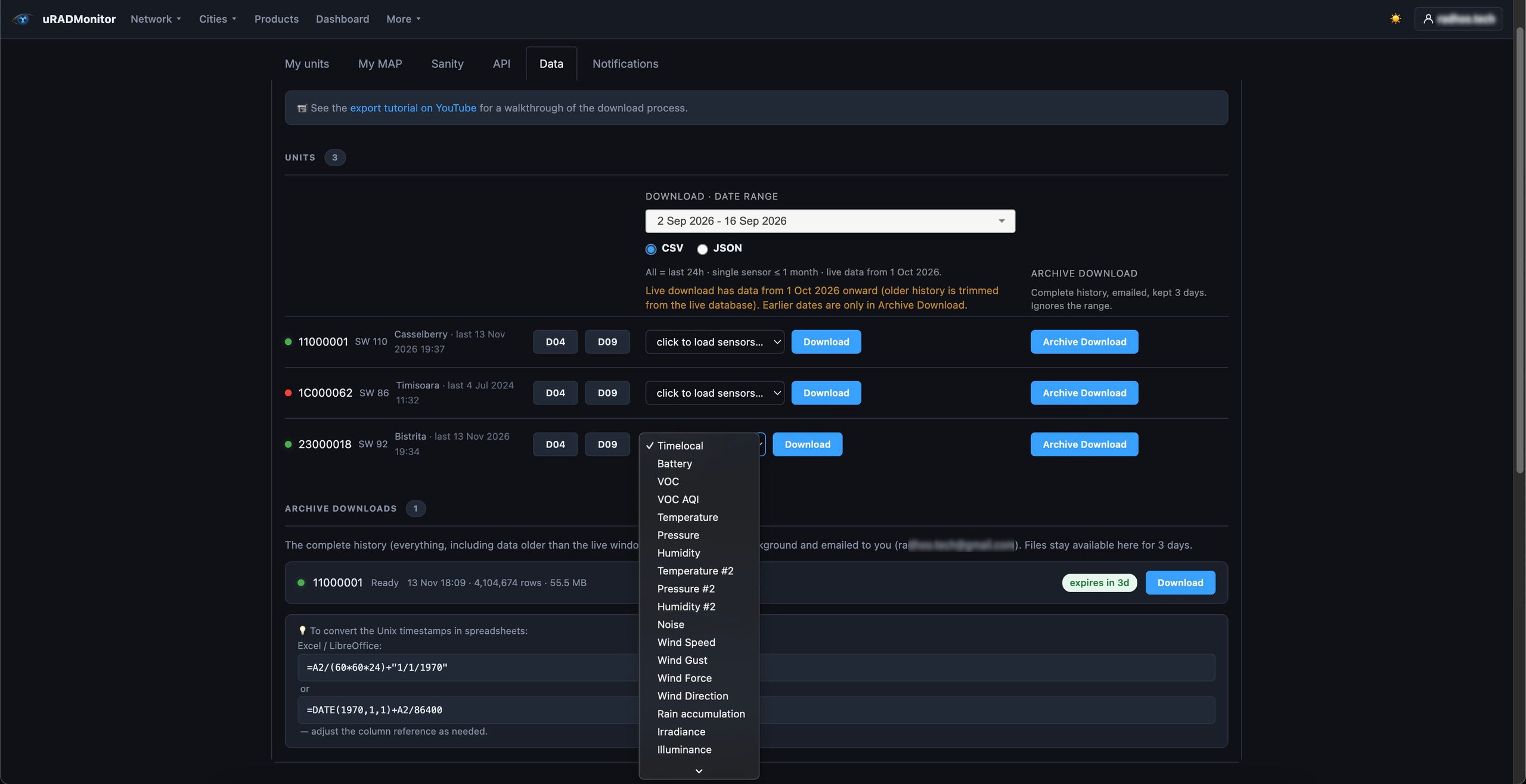
The time selector is positioned above the regular Download column, making it clear that it applies only to that operation. Archive Download works independently of the selected parameter and date range.
Why two databases?
The uRADMonitor network has been collecting measurements since 2012. With thousands of devices transmitting continuously, storing the entire history in one operational database would make everyday queries increasingly expensive and slow. So instead, the platform uses a rolling archival process.
Every month, older measurements are extracted from the operational database and transferred to a separate historical archive. The operational database is then kept relatively small, containing only the current month and the preceding period, while the archive grows continuously as new historical data is added.
For example, on November 13, 2026, the operational database contains measurements starting October 1, 2026. Earlier measurements, including the complete historical record dating back to first uRADMonitor measurements, are stored in the archive. This separation allows the dashboard and other real-time services to remain responsive without sacrificing access to historical measurements.
Archive Download reads directly from this historical archive, making it possible to retrieve years of data without placing additional load on the operational database.
How it works
A complete device history can contain millions of measurement records. Generating such an export directly in the browser would be inefficient and could leave the user waiting for a long time. Archive Download therefore works asynchronously When you click the button, your request is queued and processed by the archive server in the background. You can continue using the dashboard or leave the page entirely.
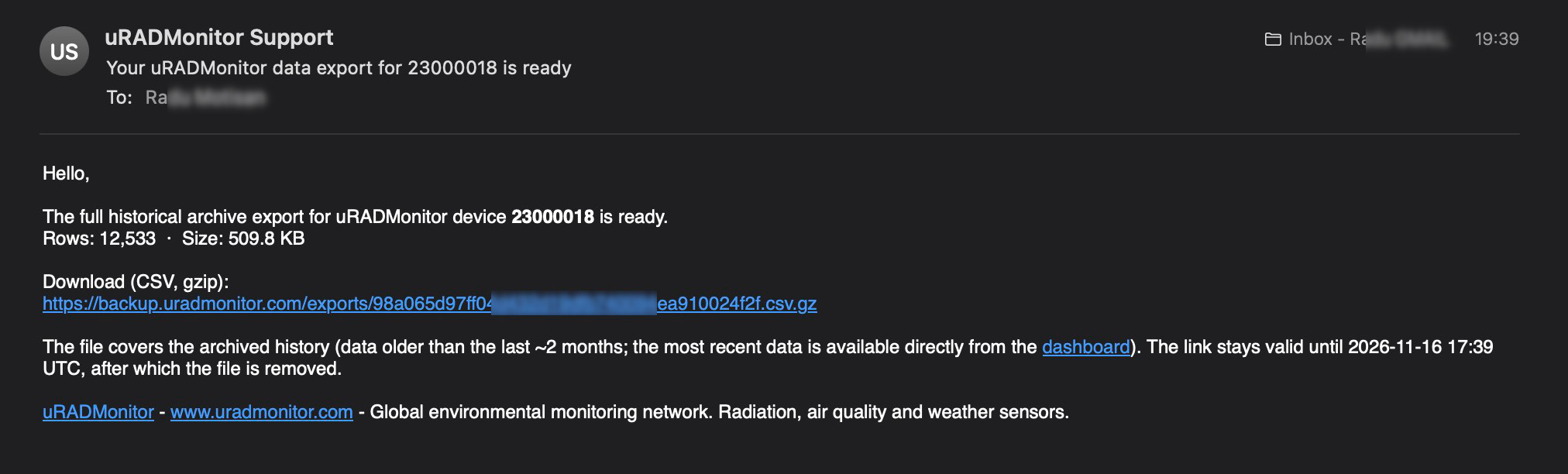
Once the export is ready, you receive an email notification. The generated file also appears in the Archive downloads section at the bottom of the Data tab.
For each request, this section displays the device ID, processing status, number of records, file size and expiration time.
The export is delivered as a compressed CSV file (.csv.gz). The download remains available for three days, after which the generated file is automatically removed. If you need the same archive again, simply submit a new request.
Working with your exported data
The archive is provided as a standard CSV file compressed with gzip. After extracting it, you can open or process the data using Python, R, Excel, LibreOffice or virtually any other data analysis tool.
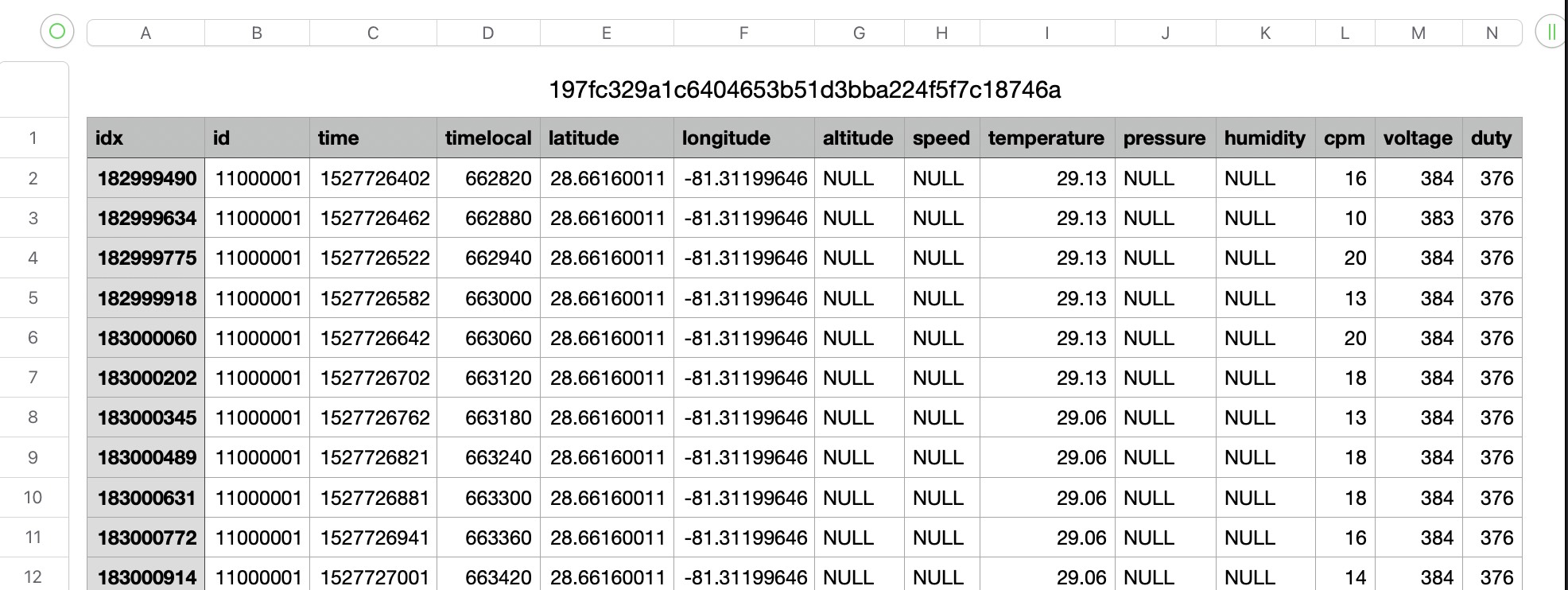
Timestamps are provided as Unix time in seconds (UTC). To convert them into readable dates in a spreadsheet, you can use:
Replace A2 with the cell containing the timestamp. The dashboard also provides this conversion formula next to the download section.
Having the complete dataset locally allows you to perform your own analysis, correlate measurements with external datasets, investigate long-term trends or develop custom visualizations without being restricted to the dashboard’s predefined time intervals.
Who can use it?
Archive Download is available to both device owners and users with whom a device has been explicitly shared (shared data access).
Each device has one owner account, responsible for its management. This includes settings such as its public map visibility and geographic coordinates, as well as access to other settings . Shared users have read-only access focused on the API and the data, without the ability to modify the device or its configuration. A device can be shared with multiple users. More on uRADMonitor user roles here, see section “Owner and shared access”.
This is particularly useful for academic and institutional collaborations. For example, a university can purchase and deploy a group of monitoring devices, while its IT administrator manages them through a single owner account. Researchers and other collaborators can then receive shared access to the devices and retrieve their measurement history independently, including through Archive Download.
To get started, log in to the uRADMonitor dashboard, open the Data tab and locate the device you want to export. The Archive Download button is available directly in its row.
Making the full history accessible
Environmental measurements become more valuable when they can be studied over longer periods. A few hours of data can describe current conditions, while several years of continuous observations can reveal seasonal patterns, long-term changes and correlations that would otherwise remain difficult to identify. Archive Download makes this historical record directly accessible to device owners and their collaborators, without requiring manual intervention from our team.
The data has been collected continuously over the years. Now, retrieving the complete history is just as straightforward as requesting a recent measurement.
Liked this? Get monthly air quality findings.
One email a month from the uRADMonitor network. Unsubscribe anytime.
codemore code
~~~~