Forum Replies Created
-
AuthorPosts
-
uRADMonitor
Keymaster@lumpylumpy There is no Wifi antenna, you got the latest A3 version that comes with an embedded antenna for a more convenient form factor.
@emogenet not quite sure what if the “repeated twice” thing, please post some screen shots with that so I can see. Yes you can call the script directly, the form is:
http://192.168.4.1/s?u=SSID&p=KEYBut please note the SSID and the KEY must be URL ENCODED. There are online tools for that, with a quick google search I found https://meyerweb.com/eric/tools/dencoder/
Timeouts are sometimes possible, due to the Wifi module being stressed a little, being used both as a client (to send data) and a server (to serve local webserver used for config) at the same time, via a 9600bps serial connection. However the configuration must work in all cases and has been tested so on all units shipped.
Please note that there’s a key length limit of 20 characters. Do not use longer passwords on the networks you connect the A3 to.
Hope this helps,
October 3, 2018 at 8:46 pm in reply to: Local access: unit can fail to respond to local json queries #6081Keymaster@glenn-mckechnie hi Glenn, thanks for the interesting post and sorry for my delayed reply,
This limitation exists only on the A3 with Wifi and is due to the Wifi Module used, that is somewhat limited in terms of bandwidth. The server upload has priority, but polling can sometimes impact this as well, resulting in the watchdog being triggered.
The best solution here is to change your script to use the uRADMonitor Server API . That is the recommended way to go, especially since there is an additional calibration layer implemented on the server side only. the VOC AQI and PM1 and PM10 readings are only available in the server output too.
You can find all information on the API , including examples on http://www.uradmonitor.com/dashboard
The local JSON was only offered as a bonus, to the internal webserver functionality that was needed to offer a way to configure the A3 units with Wifi for internet access.
Let me know if there is anything else I can help you with.
KeymasterThanks guys,
@florian_gutzwiller_hb3xpa please confirm you see the right flag now.
KeymasterI will check the algorithm requirements, but yes, this is definitely possible if you have some flexibility on your end.
KeymasterHe can assign it to his account once he opens the dashboard on a computer within the same network like the A3 unit.
Basically, the computer he uses needs to have the same external IP like the A3 unit (to be in the same LAN). Then your friend will see the A3 in his Dashboard and be able to click the “ADD” button to assign it.
Let me know if you need any help. BTW, I just assigned both units to your account, so your friend might need to re-attach it in case he did previously.
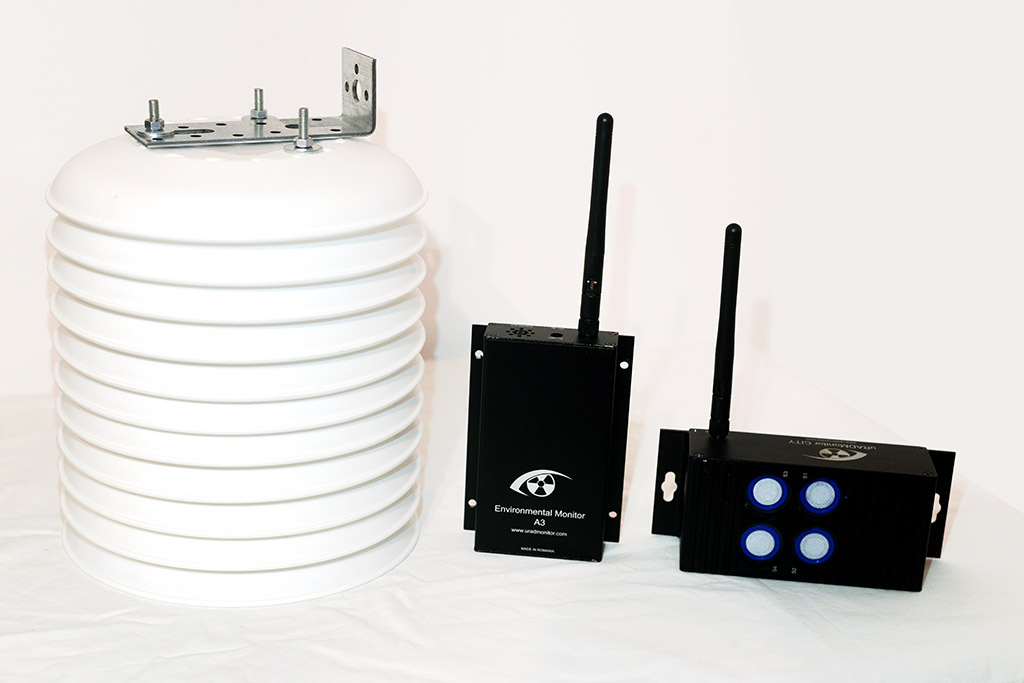
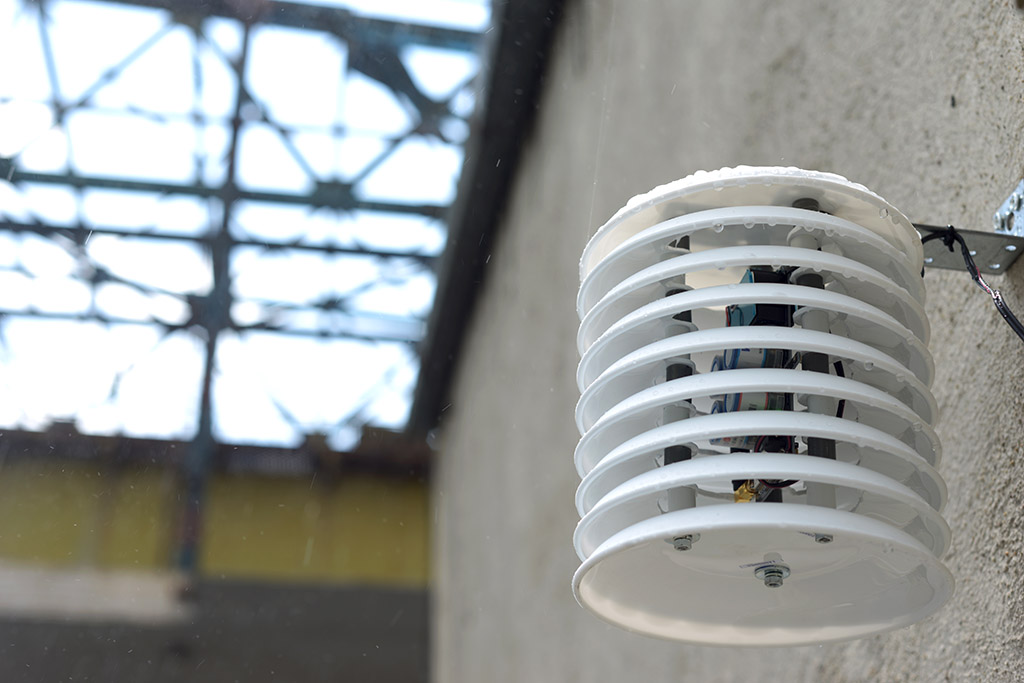
KeymasterBest would be a Stevenson shield. See some pics attached.
Others went for different solutions, here are a few: https://www.facebook.com/pg/uRADMonitor/photos/?tab=album&album_id=398902893605715
KeymasterVOC raw values can sometimes for as high as a few millions.
This is why I have developed the AQI VOC scale to bring all VOC readings to a common scale 0 – 500. Please use that instead of the raw data.
KeymasterCommand to mute 820000FA was added to the server. It will apply on first A3 communication. Please confirm when it’s done.
Keymaster@d-gonzalez sadly the VOC AQI cannot be added to the JSON. It requires history data, in this case the last 24h readings, which are only stored on the server side. It is not the BSEC, but it is very similar.
Can you use the Server API instead? it is much easier then with the local JSON.
Keymaster@fossiloaklists , this is odd, nevertheless let’s see what’s going on.
Try to connect to the local hotspot, then after it is connected, do a ping to 192.168.4.1
Please attach a screen shot with what you are getting.
Thanks!
Keymaster@edodd55 , flags changed for both units, 820000F4 and 820000F5,
https://www.uradmonitor.com/tools/dashboard-04/?open=820000F4@florian_gutzwiller_hb3xpa
Flag changed.
@david94
changed, Thanks!
@jerry , your unit now shows the correct flag.BTW guys, the flag edit option will be added to the dashboard soon. The idea was that at first the location would be detected by IP, totally inaccurate but useful for a plug and play solution to have it on map the easy way. Also the country was generally detected 100% correct. Then you would be able to use the dashboard to adjust it further. But it seems it would be better to offer the country editing option too.
So we’ll have that soon. Feel free to send in feedback regarding your units. You’re using them for some time now.
Thanks!
KeymasterHi guys, sorry for the late reply, I’ve been travelling for most of September,
Please use only the server values, visible on the dashboard or returned by the server API, as those are further compensated to correct issues related to internal heating that affects temperature and humidity readings.
Although all units are calibrated against a common reference, there is a software interface in place that can be used to do additional adjustments where needed. We can apply this to any discrepancies in the returned parameters when compared to other equipment.
Country for E7 and E2 is set to AU.
For the 820000FA, please do a new test for Temperature and Humidity and let me know if you need any offset to be added. Again, make sure you are using the server returned results, not the local json. From you last post the correction would be T:-3.8 and H:+8.83
The CO2 sensor has an autocalibration algorithm, that triggers every 24h. Most likely the readings will be correct.The VOC AQI algorithm has the purpose of providing comparable readings between the various MOX sensors used in the A3 units. It is very similar to the one developed by Bosch for their BME680 sensor. It uses the last 24hours of VOC raw readings to establish a minimum and a maximum, and then the readings are computed as a percentage scaled on the 0 to 500 interval. If you saw a big change it was due to a new 24hours interval introducing new min / max values to the calculations.
KeymasterIt is not a bug, the “all” option cannot be used for intervals longer than 24hours. This is the way the code was implemented.
KeymasterHi there, and welcome! Go for a few A3 units, they are very cost effective detectors that you can use for your pilot!
KeymasterHi Carl,
I’m excited about meeting you here and look forward to putting some of your excellent ideas/feedback into practice.
-
AuthorPosts