-
Search Results
-
Hi All
I am about to receive the latest variant of uRADMonitor MODEL A3 (as in the one that does not have an air pressure sensor), and had a couple of questions:
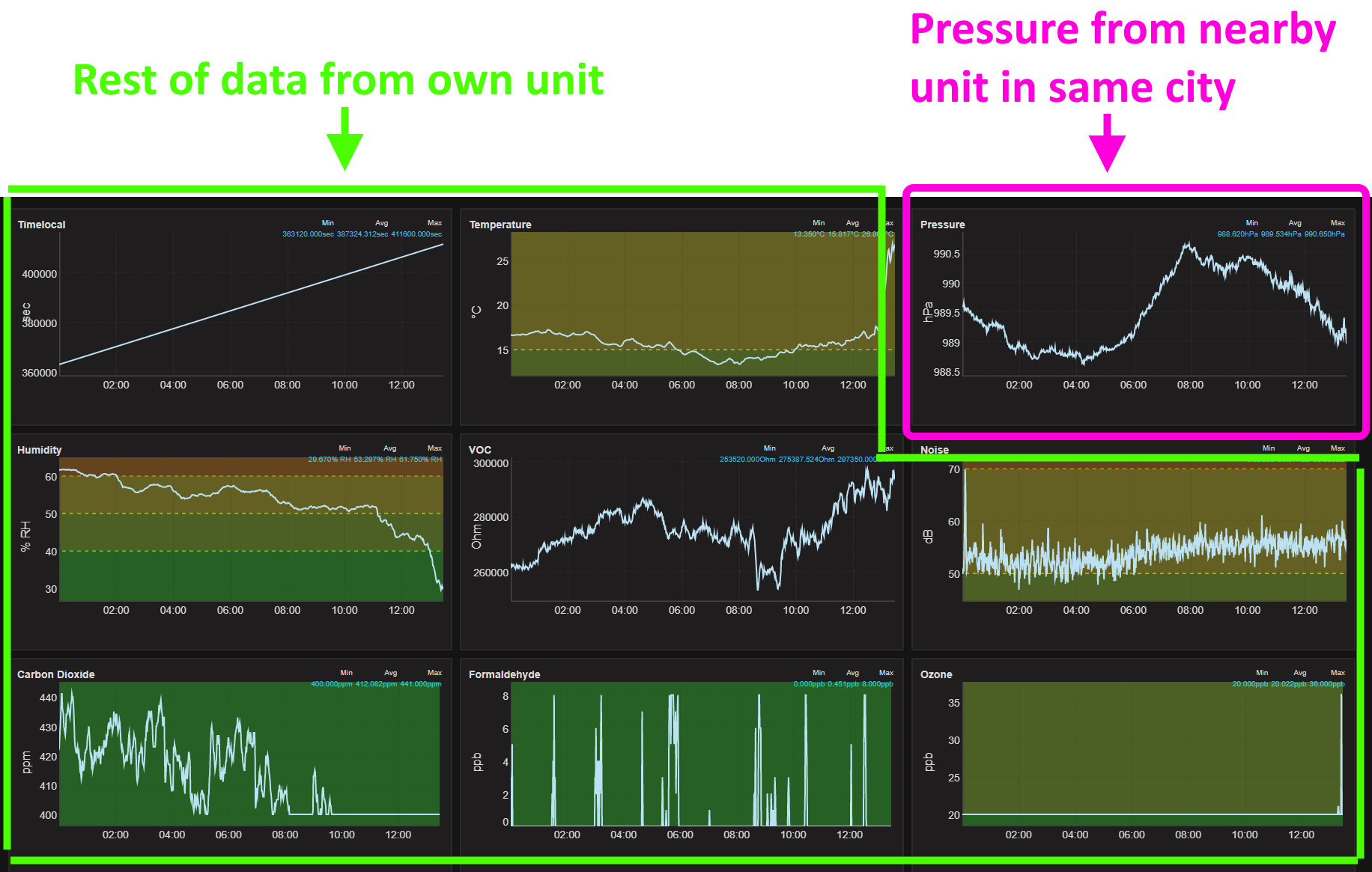
1. Is it possible to read the barometric pressure from a nearby unit and display it on my own dashboard? Like in 1st picture
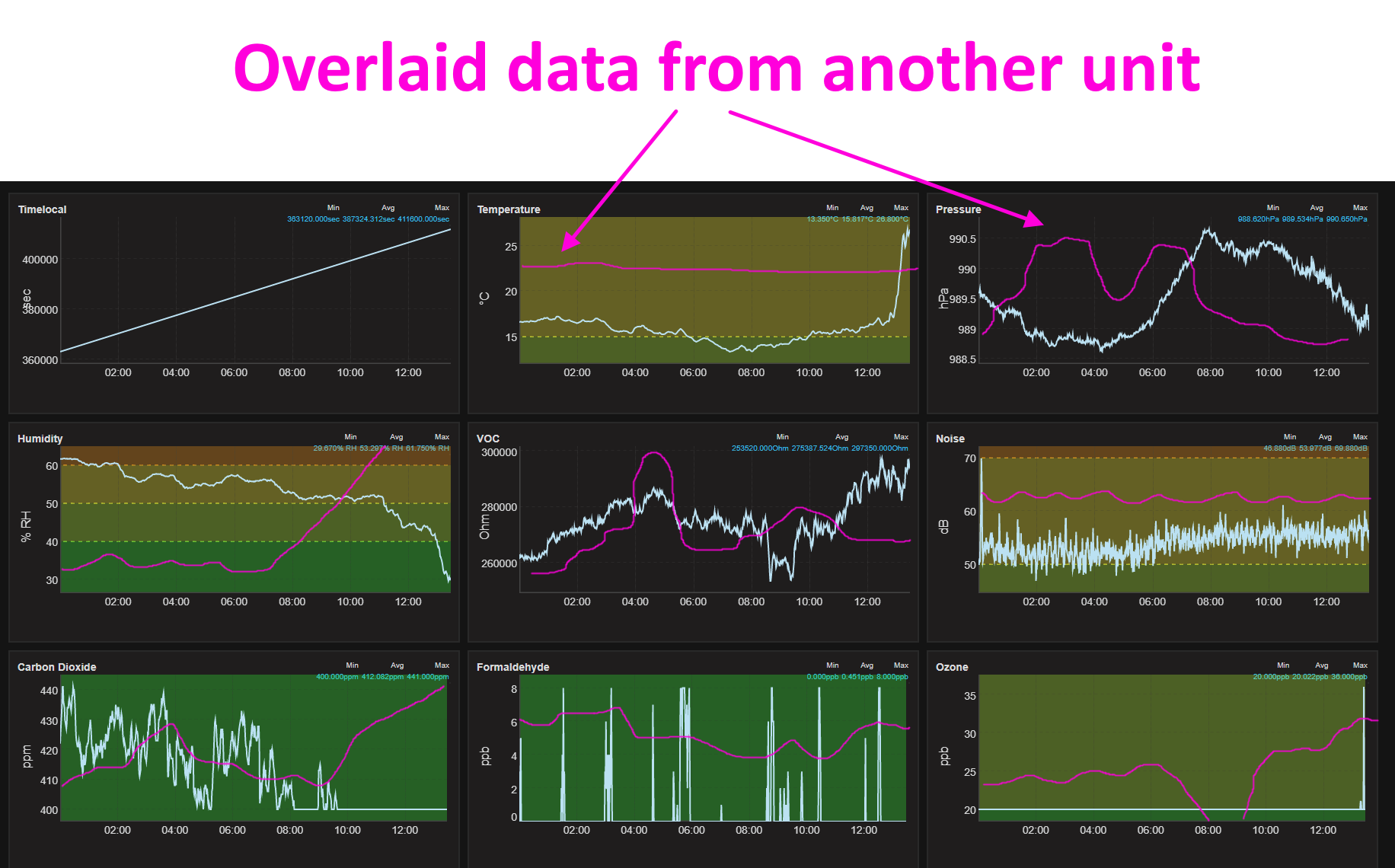
2. Is it possible to overlay the data from nearby units on my own dashboard? Like in 2nd pictureCheers, Anton
Hi fellow-uRAD’ers!
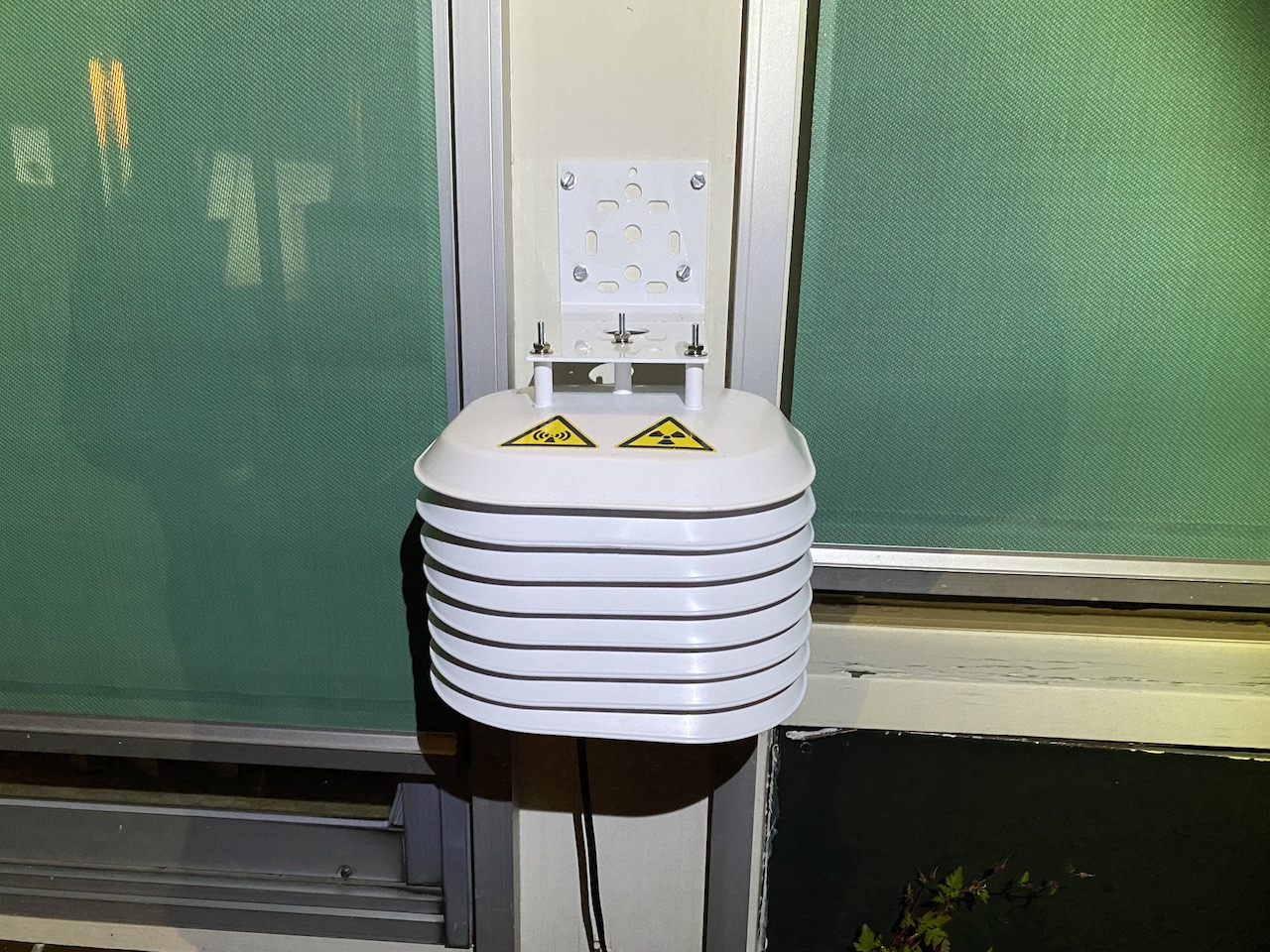
With a big Thank You to you all for the various inspirations how & where to mount the uRADMonitor, I opted to install my Model A a bit sheltered.
Not as much to the rain and/or snow but rather temperature.
As I would be installing the uRADMonitor on a wall facing east-ish.I considered closed (IP65 or better) boxes but expected that could (perhaps only a wee bit) impede the detection-rates.
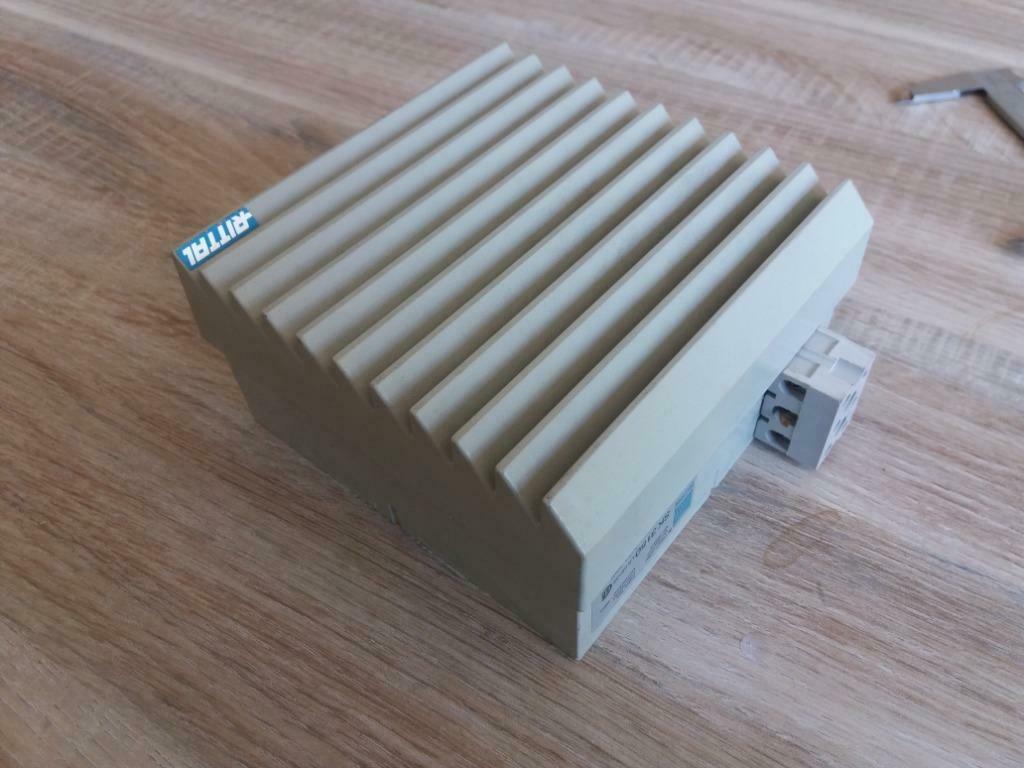
The uRADMonitor is designed for open-air installation for a good purposeI also looked into an empty Rittal Ventilator box (11.8cm inside-measurements) but that would create a bit of a challenge as the connectors to the uRADMonitor would be very close to the edge of the box (read: probably needed to cut-out a hole) contradicting (a bit) the purpose to shield the uRADMonitor’s connections. (although one can come-up with some additional shielding in that area by glueing plastic slats in that area, for example)
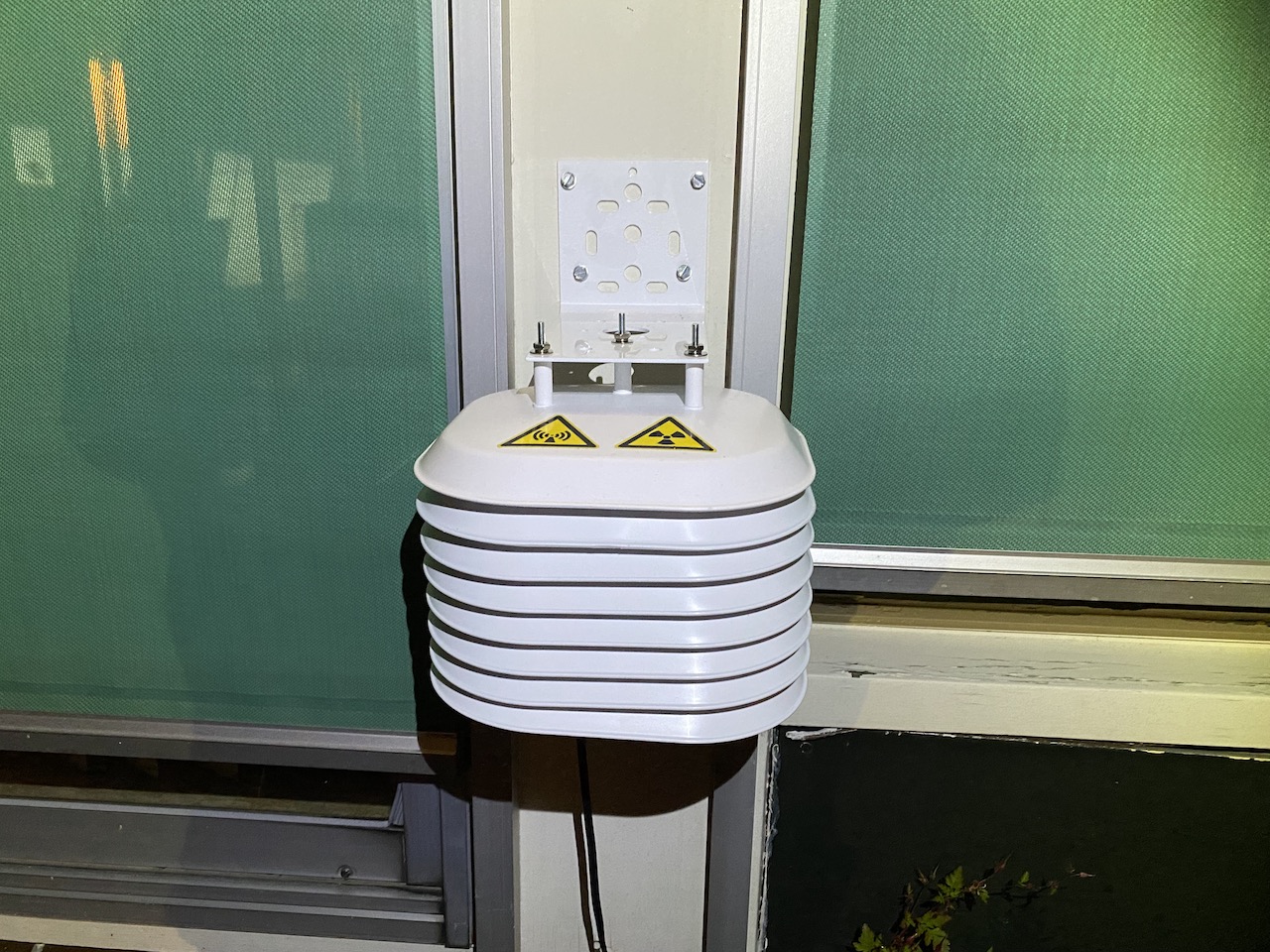
So ultimately I opted for the Davis Instruments Passive Shield #7714 as that is relatively affordable & available.
Where I needed to cut-out the center-section for 2x more (of the included) plates so I could diagonally/slanted install the uRADMonitor.For the ethernet connection I used a CAT6 flat cable for the moment but will replace it to thin white cable (CAT5e, CAT6 or CAT6A) once I have my data-rack into its final place (read: get more accurate length-measurement how much cable-length I actually will need)
Of course I also used the passive POE Injector as already depicted on this forum, that works great in simplifying the installation. (read: cabling)
Sharing=caring
IF so requested I can put-up more detailed pictures & descriptions how I did things.
I leave that up to the community.Attachments:
Topic: Faulty Model 3A wifi
Hi Radu,
I hope you are well during these difficult times.
Did you receive my email a few weeks ago re the Model 3A which has problems powering on and the Wifi signal cannot be detected?
I’d obviously like it to be repaired.
Many thanks
Topic: Model D OFFLINE.TXT
What is the format of the Model D’s OFFLINE.TXT file. I want to parse it down.
Is there some algorithm that has the Model D not produce CSV files after some point of being left on and only add to the OFFLINE.TXT file?
Thanks.
-Kurt
Topic: SSID not showing up for A3
Hi, bought the uRADMonitor A3 (Wifi model) and just got it today. Was setting it up, but could not see the SSID in the pattern “uRADMonitor-**”
Well I actually saw it for a split second, but it disappeared right after and i have not been able to see it since. Is there any way to reset the A3 or is unplug/plug the only thing I can do? I actually have been doing the unplug + plug for about 30 min now. Still can’t find the SSID.
Would appreciate any help!
Topic: Serial access on Model A?
I have an old Model A (11000103). I’d like to follow the directions in the paper “uRADMonitor Decentralized Direct Data Access” to set a “New End Point”. Alternatively, I’d like to just disable the watchdog so that I can use the unit without full internet connectivity.
There isn’t a USB jack on my unit. Is there a header inside the unit that I can use to get serial access? Do you have a pinout of this header?
Thanks.