
- This topic has 10 replies, 4 voices, and was last updated 9 years, 1 month ago by
.
Viewing 9 posts - 1 through 9 (of 9 total)

Viewing 9 posts - 1 through 9 (of 9 total)
- You must be logged in to reply to this topic.
Mads Barnkob. uRADMonitor
A new website has been implemented with many new features in place.
After hundreds of hours or work and thousands of lines of code, the overall experience has been improved. See the changes on:
https://www.uradmonitor.com/site-v5-0/
And feel free to report and bugs / issues, as well as any suggestions to push the improvements even further.
uRADMonitorThis is a great idea, I’ll look into having it soon. Thanks!
uRADMonitorIt is done, please use
https://www.uradmonitor.com/?open=51000070&sensor=cpm
The full list of values for ‘sensor’ include:
temperature (Temperature)
pressure (Pressure)
humidity (Humidity)
voc (VOC)
noise (Noise)
ch2o (Formaldehyde)
co2 (Carbon Dioxide)
pm25 (PM2.5)
cpm (Radiation)
uRADMonitorMy pleasure! 🙂
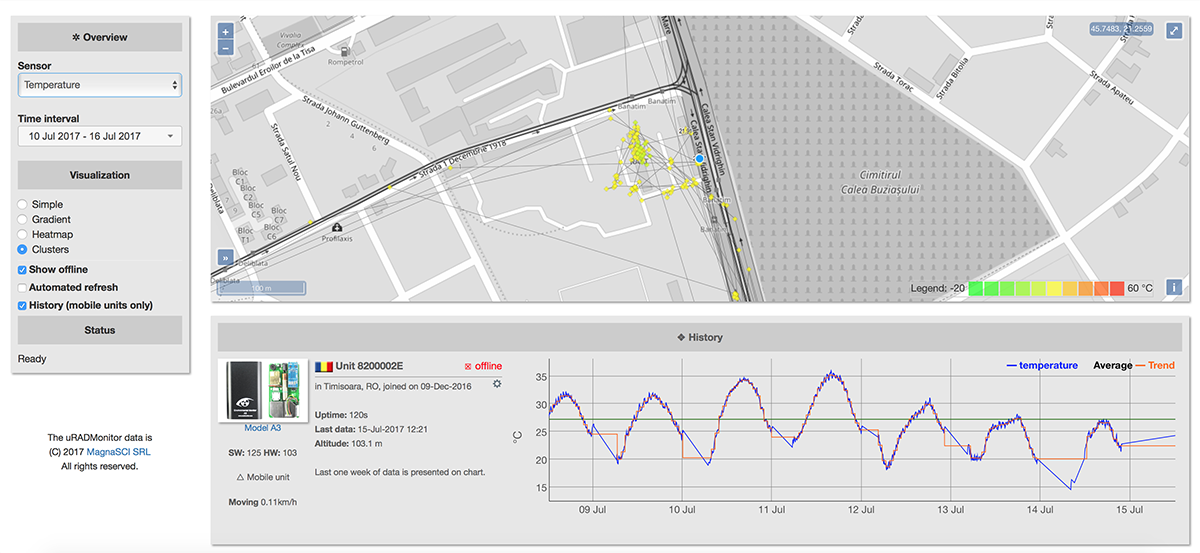
uRADMonitorInterval average and trend (in red) have been (re)added to the charts.
 ON1GL
ON1GLAs ‘Trend’ indication a up/down arrow is enough for me, for the ‘Average’ I would like to see the value somewhere…
Just my 2 cents
Luc
uRADMonitorthank you, some arrows would be nice indeed.
for average you can see the value if you place the cursor over the chart.
LE: average value have just been added to label also.
uRADMonitorThe dashboard now has a new “Hidden” option, so uRADMonitor unit owners can mark their units not to show on the global map. See the picture attached.
 Mads Barnkob
It would be nice if you added the link “https://www.uradmonitor.com/?open=51000070&sensor=cpm” to the sensor page itself, the only link is to the monitor model when you bring up a specific sensor, but there is no way to share that sensor with others since the url does not change.
Social plugin share bar? 🙂