

Forum Replies Created
Viewing 3 posts - 1 through 3 (of 3 total)
Viewing 3 posts - 1 through 3 (of 3 total)
 Milan
MilanHi,
It’s a Unifi system running latest controller and firmware versions.
DHCP is fine, that is a working SSID with many devices on it, I just toggle the “Hide SSID” button, Smoggie connects if SSID is visible, if it is hidden it cannot.
I’ll check again if I see the device on the WIFI controller with SSID hidden and create static IP entry if possible but I think it was not visible even though on the screenshot above we see “WIFI:connected”.
Is there a possibility to set static IP in the Smoggie GUI or via CLI?
Cheers
MilanHi, unfortunately it does not work, I tried multiple times, even on the network which is use daily, I just toggle the “hide ssid” button and immediately the Smoggie disconnects, when I toggle SSID back to visible it connects.
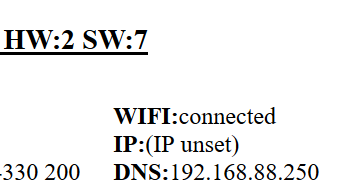
The only thing that I see in settings is that Smoggie cannot pickup IP, attaching a screenshot.
Is there any log that I can get via CLI or some other way?
Thx!
Milan
MilanHi Wolferl,
Thanks for your input.
I am network engineer so I am aware of it all.
All what you said is correct but I do have a reason why I need this SSID hidden. 🙂
Cheers