
Home › Forum › Support › A3 HW105 WiFi – Device ID 82600374 – firmware request (no hotspot, 3 beeps)
- This topic has 13 replies, 2 voices, and was last updated 2 months, 3 weeks ago by
uRADMonitor.
-
AuthorPosts
-
May 5, 2026 at 11:59 am #30206
Adam
ParticipantI have a uRADMonitor A3 HW105 WiFi unit with Device ID 82600374 that will not create the temporary WiFi hotspot and is stuck in the repeating 3-beep error (network failure).
The device powers on and beeps once, then after a short time beeps three times repeatedly.
No “uRADMonitor-74” (or similar) access point ever appears, even when scanned right next to the unit.
There is no exposed USB port (older HW105 board).
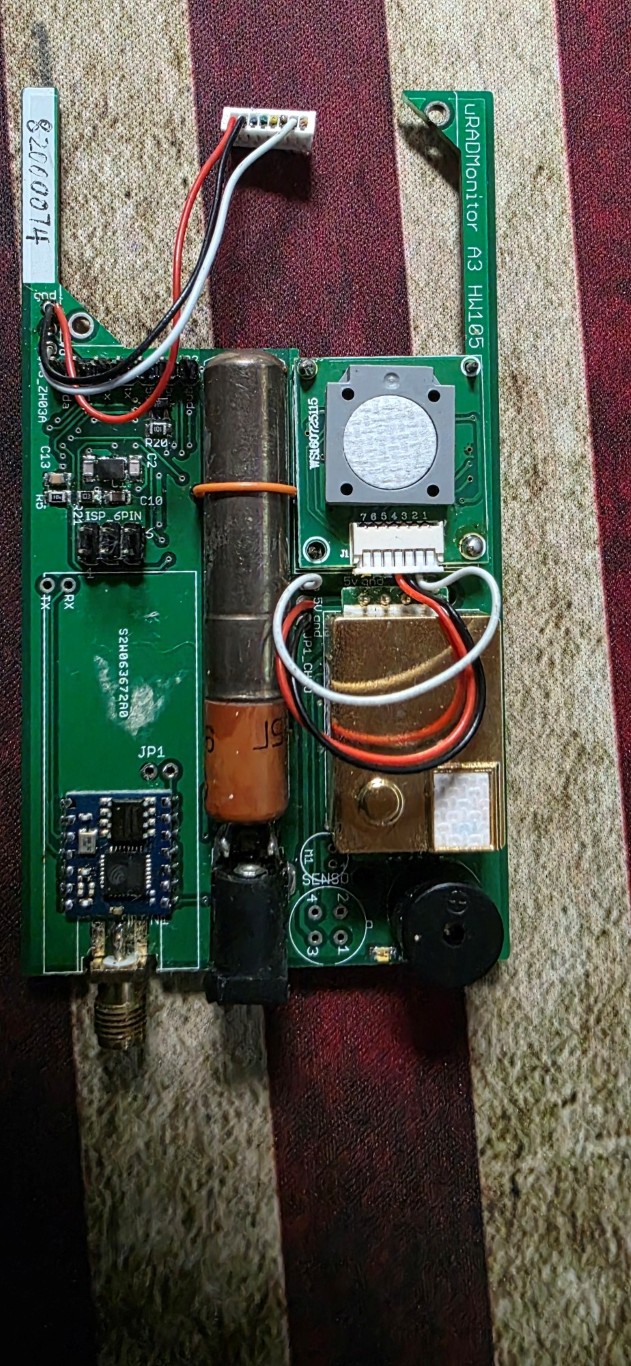
I have opened the case and the ISP 6PIN programming header is clearly visible and accessible.I am ready to re-flash the firmware using a USBasp AVR programmer (3.3V) and avrdude. Could you please send me the correct device-specific firmware file (uradmonitor-A3-82600374.hex or the latest version with my ID embedded)?
Any additional instructions or the exact pinout for the ISP header would be greatly appreciated.
Thank you very much — I’m happy to provide any other details or photos if needed.
Best regards,
Adam BeasleyMay 10, 2026 at 12:29 pm #30223uRADMonitor
KeymasterThat might have to do with the network module, a little board based on an esp8266.
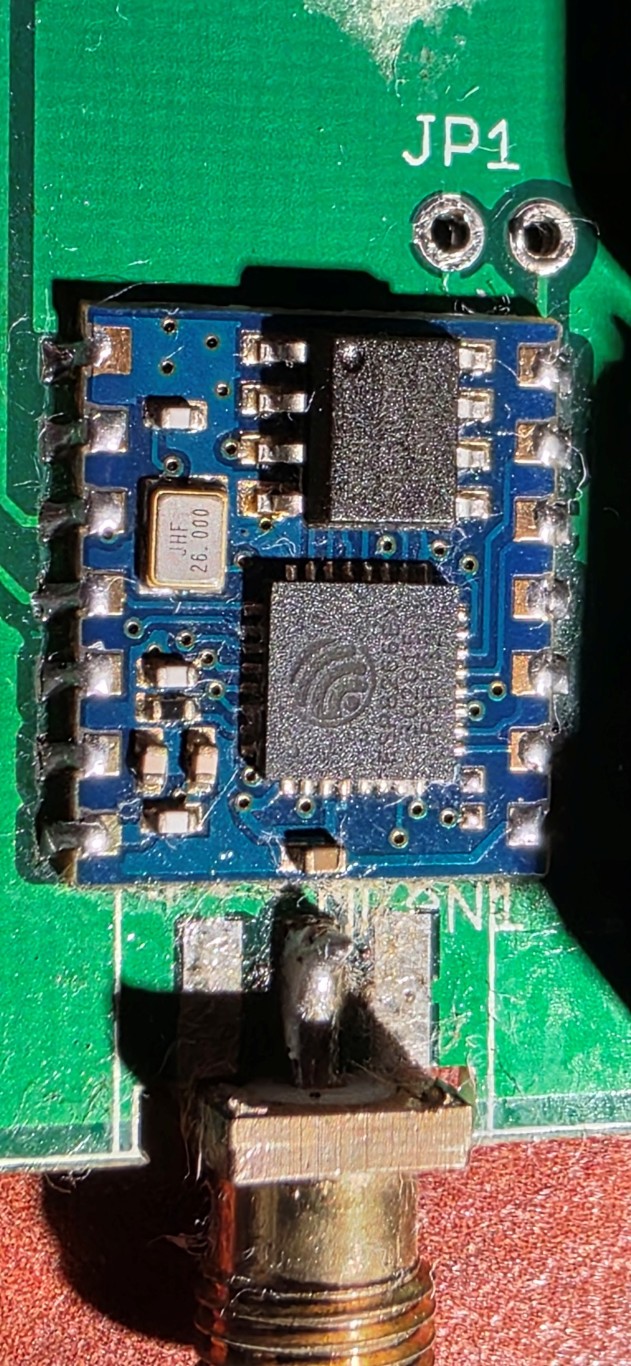
Can you take out the front lid and inspect the esp8266 module? Look at the soldering, any corrosion signs, etc.
I can help yuo with the firmware update, but I’m afraid it won’t fix it.
May 10, 2026 at 8:01 pm #30224ParticipantI didn’t see any corrosion or broken solder joints; I reflowed it just in case and got the same result. Is it possible to buy a replacement board? I’ve search around but could not find a provider that had some in stock. Are there any alternatives?
I would like to at least attempt to flash it rather than just let it go to waste, so any firmware would be greatly appreciated.
Thanks,
Adam
May 10, 2026 at 8:27 pm #30225ParticipantFollow-up question: If I do manage to find a new ESP-04 board, will the AVR flash it automatically or will it need to be done manually?
Thanks,
Adam
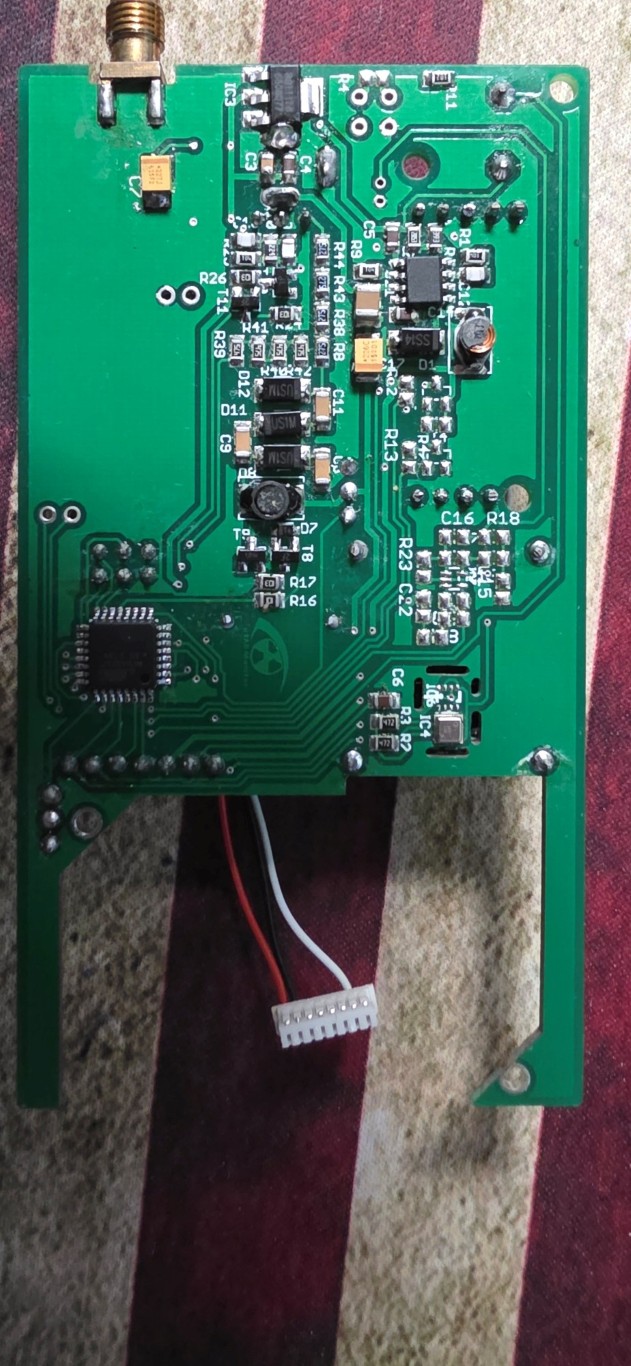
May 11, 2026 at 4:51 pm #30226Keymasterhi Adam . Please post a few pictures with it. Great that you were able to do a little reflow on it, it usually helps – also with getting rid of any humidity buildup.
Now, regarding de ESP04, you should be able to find it online and it is perfectly fine to swap it.
You will need to install a firmware on the new ESP module, than flash the uRADMonitor unit, separately. It is not hard to do.
Directly flashing the new uRADMonitor firmware now will not solve your problem, since the 3 beeps indicates the unit is operational, but cannot properly communicate with the ESP04. We need to start there. Happy to assist you further.
May 11, 2026 at 6:55 pm #30227ParticipantThanks! I believe I may have found a source for the ESP04, I placed an order and am waiting to hear confirmation.
Do you have any instructions on flashing the ESP module when it arrives?
I’m including some photos. I disconnected the sensor as to not break the wires.
Thanks,
Adam
Attachments:
May 15, 2026 at 8:00 pm #30240ParticipantI was able to get it back online. While I waited for the new ESP04 chips I thought I would see if I could find the fault. I was able to pull the image off the flash so I decided to reflow again. I guess the second reflow was the key.
I’m running sw124 (type:8 hw:103 ws:124 SI29BG), is there any update or is this the latest for this revision.
Thanks again!
Adam
May 17, 2026 at 1:47 pm #30241KeymasterAmazing! Looking at the photos I was wondering why it is not working – since there was no visible damage, then I saw your second post that it works.
Would you do a short post on the blog on this? Pretty much to sum up what you did and these few pics here? I think it might be helpful to others.
May 18, 2026 at 6:39 pm #30261ParticipantSure thing. Where should I put this blog post, under support? Thanks!
May 18, 2026 at 8:17 pm #30264KeymasterTry here: https://www.uradmonitor.com/wp-admin/post-new.php
Will appear on the blog, http://www.uradmonitor.com/blog
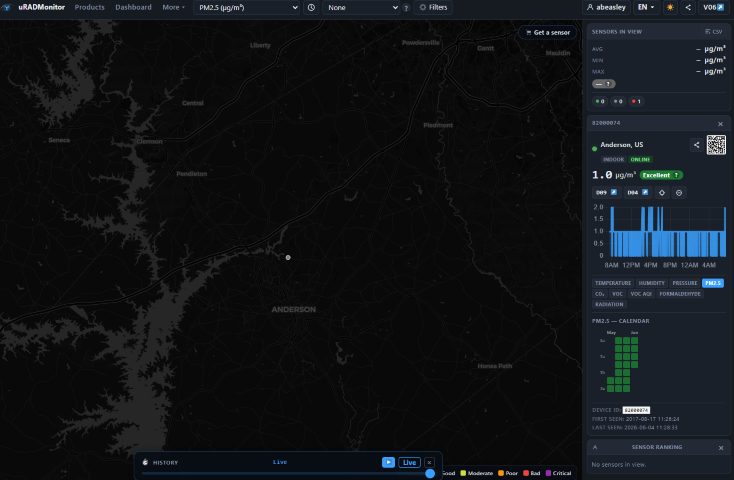
June 4, 2026 at 11:35 am #30288ParticipantHow long does it take for it to show as online on the dashboard?
Attachments:
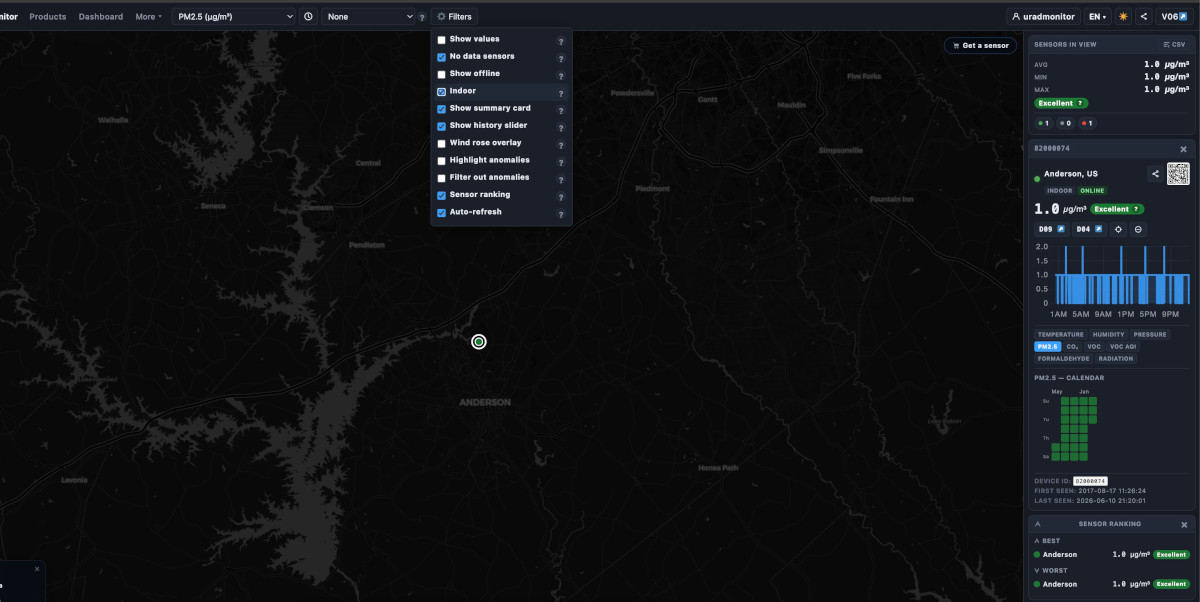
June 10, 2026 at 9:22 pm #30300KeymasterIt’s online already, but marked as INDOOR . So to see INDOOR units, you need to check Filters->Indoor from the top menu. See picture attached.
If theunit is installed outdoors, configure it as “outdoor” under your dashboard account : http://www.uradmonitor.com/dashboard
Attachments:
June 12, 2026 at 12:28 pm #30302ParticipantAh, yes it is. I’m still working on getting some common sense. Thanks for the help!
July 25, 2026 at 1:38 pm #30399Keymaster -
AuthorPosts
- You must be logged in to reply to this topic.